
Download Samsung Cloud APK – cloud storage, backup, sync, Samsung devices, Android, free cloud storage, data backup, Samsung account, cloud backup, mobile backup, Samsung Galaxy, file sync, secure cloud, cloud sync, device backup, Samsung Cloud APK
Overview
Samsung Cloud is a desktop and mobile application designed to provide cloud-based backup and synchronization services for Samsung device users. Developed by Samsung Electronics Co., Ltd., it enables users to securely store and manage lightweight digital data such as contacts, calendars, and notes. The software serves as a core component of Samsung’s ecosystem, facilitating seamless data continuity across multiple devices. Its primary purpose is to reduce local storage pressure and safeguard critical personal information from accidental loss due to device failure, theft, or data corruption.
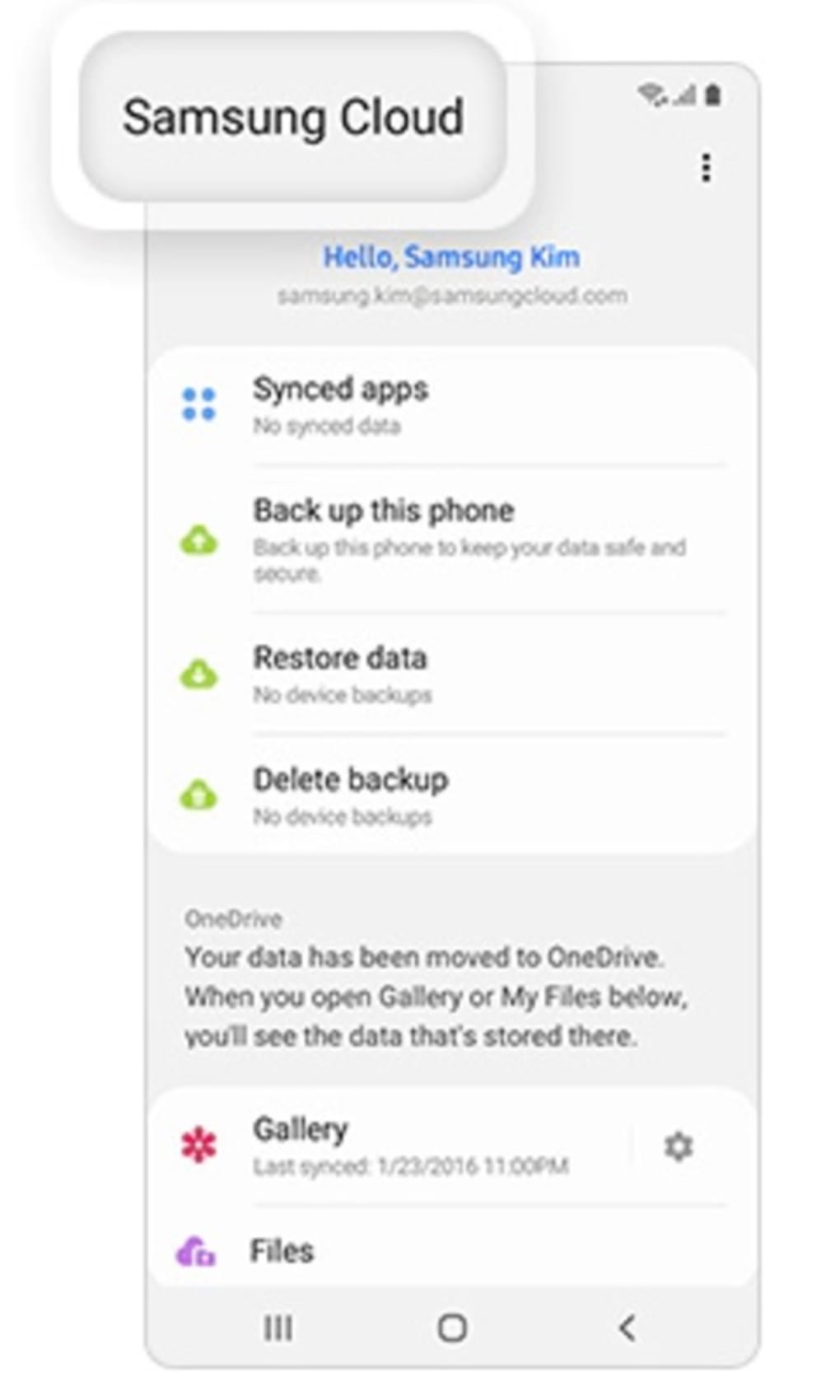
Target users include individuals who rely on Samsung Galaxy smartphones, tablets, or other compatible devices and prioritize data integrity and cross-device accessibility. The software is especially relevant for users who maintain multiple Samsung devices and require consistent synchronization of non-media data. While Samsung Cloud no longer supports the storage of photos and files—functions now handled by Microsoft OneDrive—it remains a viable option for those needing to back up and restore core device data. Real-world use cases include restoring lost calendar events after a device reset or syncing contact lists across a user’s phone and tablet.
The developer did not provide additional system requirements or performance benchmarks. Platform compatibility information is limited to Android, though the application is available as an APK for installation on Android-based devices. The release date of March 15, 2024, indicates a recent update to the service, likely tied to changes in Samsung’s cloud strategy.
Key Features & Capabilities
- Lightweight Data Backup: Enables users to back up essential information such as contacts, calendar entries, and notes to the cloud. This ensures data persistence even after device resets or replacements.
- Device-to-Device Sync: Allows seamless synchronization of backed-up data across multiple Samsung devices when logged in with the same Samsung account.
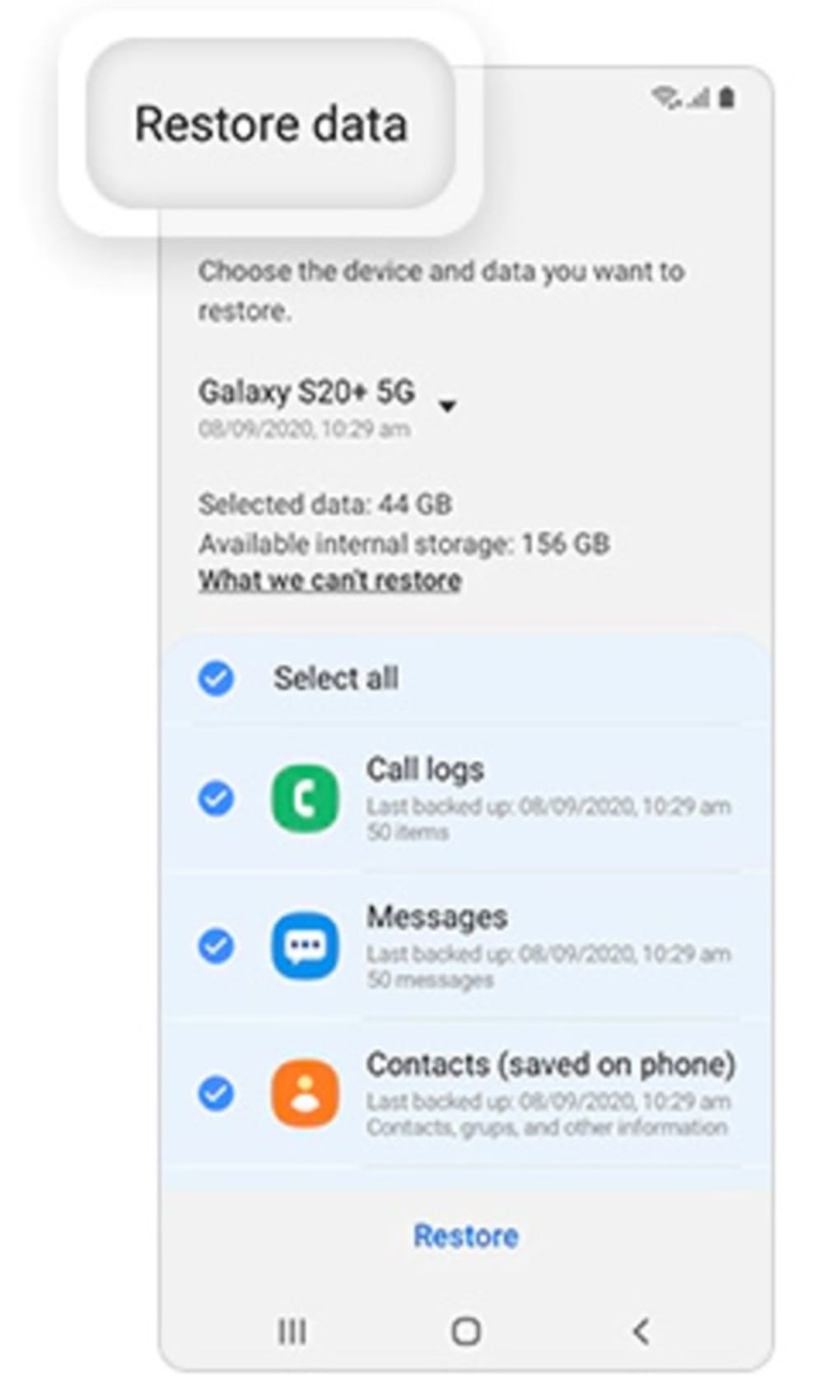
- Quick Restore Functionality: Provides an efficient recovery process, allowing users to restore saved data within minutes after setting up a new or repaired device.
- Secure Cloud Storage: Uses encrypted connections and account-based access controls to protect user data during transmission and storage.
- Integration with Samsung Ecosystem: Works natively with Samsung devices and services, ensuring compatibility with Samsung account management and device setup workflows.
Each feature supports a practical workflow: users select specific data types for backup, initiate the upload, and verify completion. Once synced, data becomes accessible on any Samsung device with the same credentials. For example, a user switching from an older Galaxy phone to a new model can restore their calendar and contact list with minimal effort. However, the service does not support the backup of photos, videos, or large files, which are now managed through Microsoft OneDrive. Users are advised to migrate such data to OneDrive before the termination of Samsung Cloud’s media storage function.
User Interface, Workflow & Performance
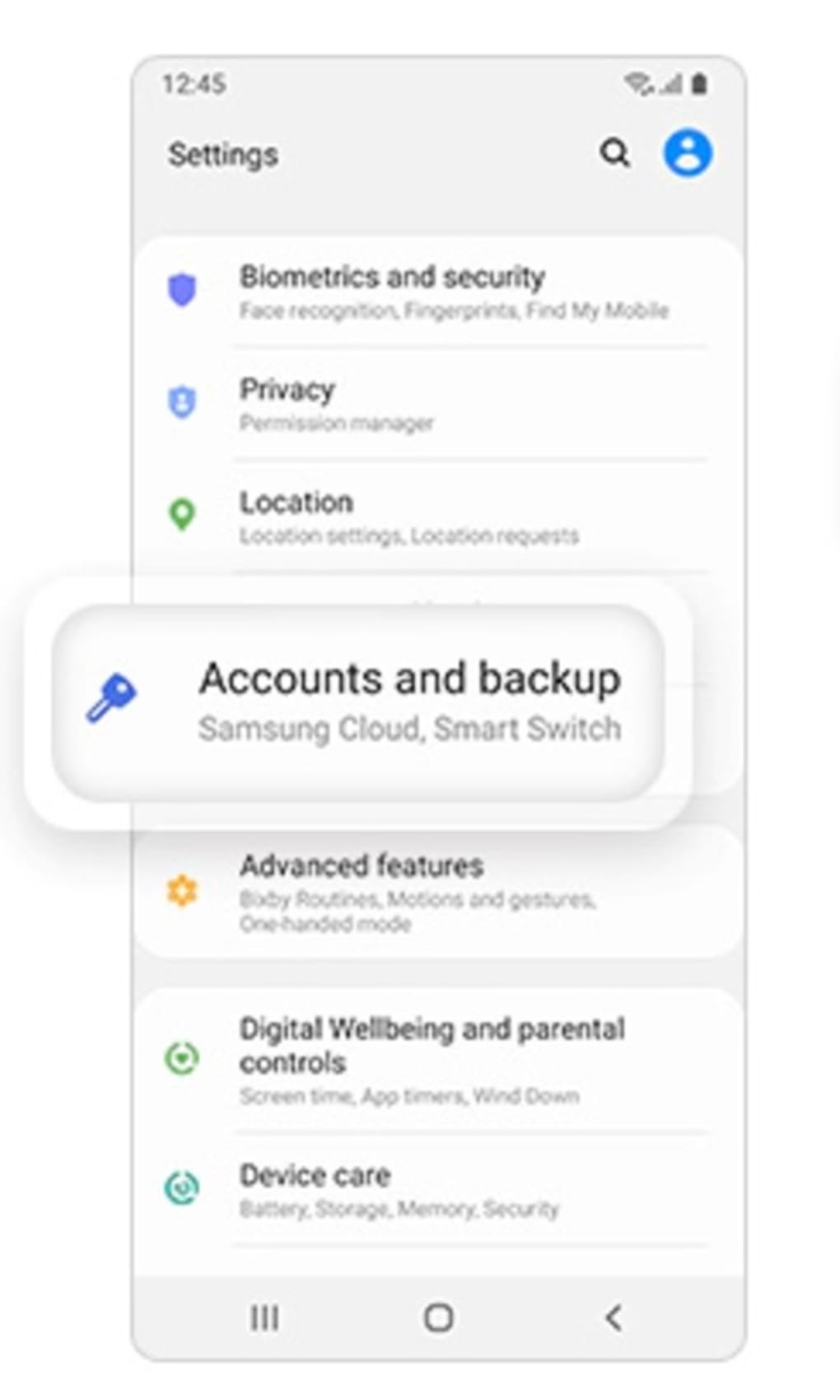
The user interface of Samsung Cloud is designed for simplicity and efficiency, focusing on core backup and sync tasks. Navigation is intuitive, with clearly labeled sections for backup, restore, and account settings. The workflow follows a linear pattern: select data type → initiate backup → confirm upload completion → access data on other devices. This streamlined approach minimizes user effort and reduces the risk of errors during critical data operations.
Performance observations are based on general software behavior patterns. The application operates in the background during upload and sync processes, with minimal visible impact on device responsiveness. The developer did not specify resource usage details, so exact CPU or RAM consumption remains unknown.
Stability is expected to be consistent, given Samsung’s track record with system-level applications. However, the absence of media file support may limit the software’s utility for users with high-volume data needs. The application does not display real-time progress indicators for all operations, which could affect user confidence in the backup status.
Compatibility & System Requirements
Samsung Cloud is officially designed for Android-based devices, with the current version being 1.0.0 and a file size of 15.5 MB. It is available as an APK file, allowing installation on Android smartphones and tablets. The developer did not specify exact system requirements, including minimum Android version, RAM, or storage capacity needed for optimal performance. Compatibility information is limited to the operating system and file size.
Users are advised to verify device compatibility before installation, as the app may not be supported on all Android models. The release date of March 15, 2024, suggests that the application has been updated to align with recent changes in Samsung’s cloud infrastructure. While the software is free to download and use, users should note that the service no longer supports photo and file storage, a shift that may affect its relevance for certain user groups.
Pros and Cons
Pros
- Free to download and use with no hidden fees.
- Efficient backup and restore of contacts, calendars, and notes.
- Seamless integration with Samsung Galaxy devices and Samsung accounts.
- Secure data transmission and storage with account-based access.
- Minimal system resource usage during operation.
Cons
- Does not support backup of photos, videos, or large files.
- Media storage functions have been discontinued in favor of Microsoft OneDrive.
- Limited to Android platform; no desktop version available.
- Exact system requirements were not listed.
- May be redundant for users already using Microsoft OneDrive.
FAQ Section
Is Samsung Cloud available for desktop computers?
As of the current release, Samsung Cloud is only available for Android devices. There is no official desktop version for Windows or Mac. Users seeking desktop access may need to rely on alternative methods or web-based interfaces, though these are not officially supported.
Can I use Samsung Cloud without a Samsung account?
No, a Samsung account is required to use Samsung Cloud. The service is tightly integrated with Samsung’s ecosystem, and all backup and sync functions depend on authentication via a Samsung account.
Is Samsung Cloud safe to use?
Samsung Cloud employs encrypted connections and account-based access controls to protect user data. While no software is entirely immune to security risks, the application is developed by Samsung Electronics Co., Ltd., a reputable company with established security practices.
Are updates available for Samsung Cloud?
Yes, updates are available. The current version is 1.0.0, released on March 15, 2024. Users are encouraged to keep the app updated to ensure compatibility and access to the latest features.
Can I use Samsung Cloud and Microsoft OneDrive together?
Yes, users can use both services simultaneously. However, since Samsung Cloud no longer supports photo and file backup, it is recommended to use Microsoft OneDrive for media storage. Using both services may help manage different types of data efficiently.
Final Thoughts + CTA
Samsung Cloud remains a functional tool for Samsung device users who need to back up and sync lightweight data such as contacts, calendars, and notes. Its integration with the Samsung ecosystem, secure infrastructure, and zero cost make it a practical choice for maintaining essential data across devices. However, its inability to store photos and files significantly limits its usefulness for users with broader backup needs. For those who only require core data protection, the app offers a reliable, straightforward solution.
For users managing media files, Microsoft OneDrive is a more comprehensive alternative. If you are a Samsung user with a focus on non-media data, Samsung Cloud may still serve your needs. Download Samsung Cloud now to securely back up your contacts and calendars across your devices.





.png)

